Arms & Shoulders
The shoulder girdle and arm controls work in two layers: broad shoulder motion with automatic scapula coupling, and FK or IK arm placement.
At a glance
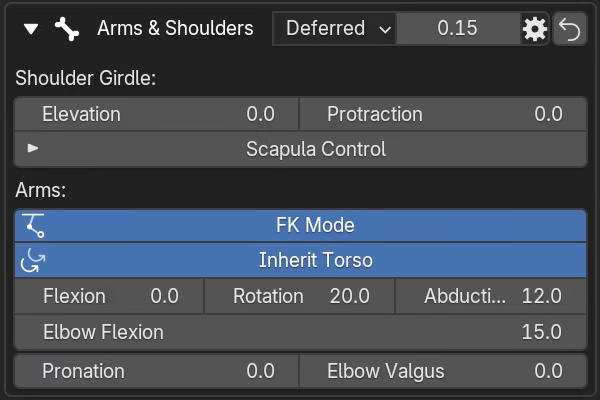
Shoulder Girdle -- two main properties drive shoulder motion. Three additional properties under Scapula Control provide direct scapula refinement:
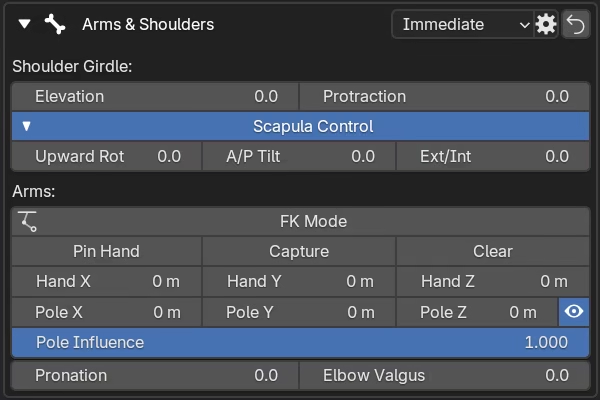
ElevationandProtractionset the main shoulder-girdle motion.Scapula Controlexposes manual scapula channels:Upward Rot,A/P Tilt, andExt/Int.
Arm -- two modes with shared controls:
FK Modeposes the arm using rotation angles.IK Modeposes the arm using a hand target, elbow pole, and optional hand pinning.PronationandElbow Valgusare available in both modes.
Shoulder girdle
The shoulder girdle controls define the shoulder line and base scapula behavior.
Elevation raises or lowers the shoulder.
Protraction moves the shoulder girdle forward or back.
These two controls do most of the work in typical poses.
Automatic scapula response
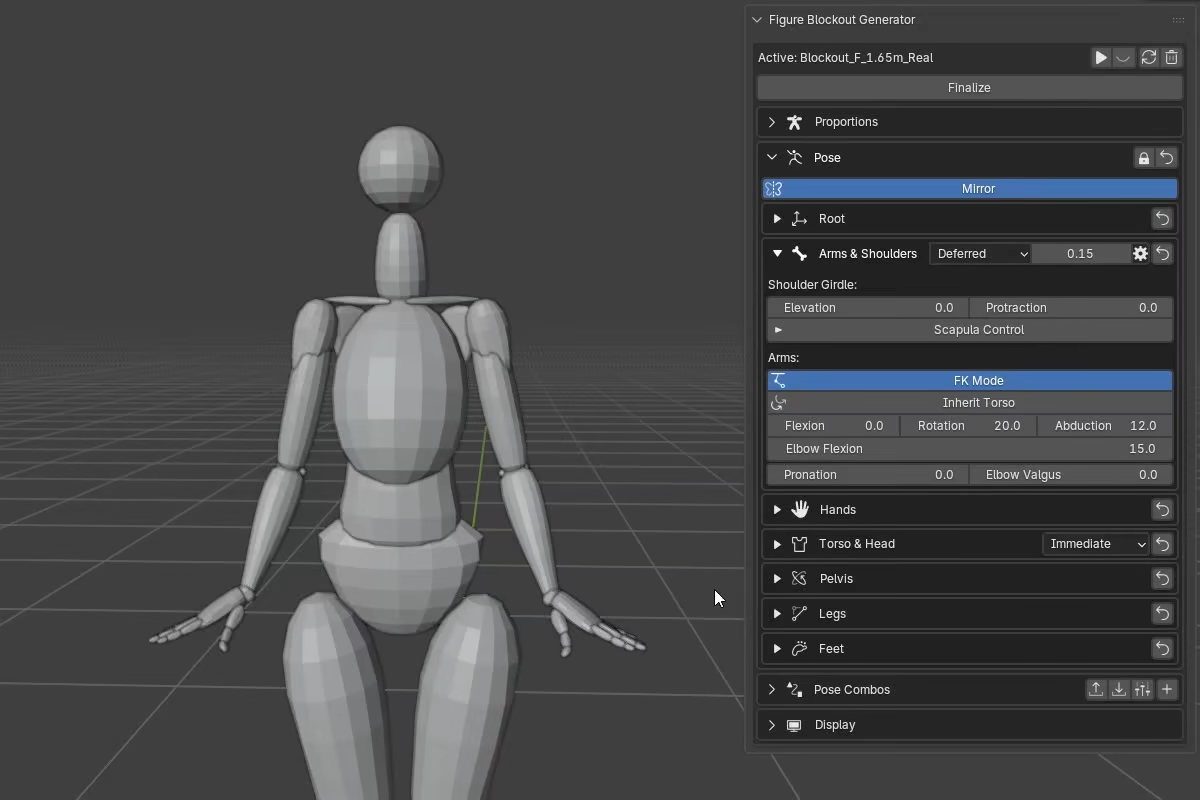
Even with the manual scapula control sliders at 0, the scapulae are not static. Elevation and Protraction drive an automatic scapula response behind the scenes.
Elevation tends to produce:
- upward rotation
- slight posterior tilt
- slight external rotation
Protraction tends to produce:
- slight upward rotation
- anterior tilt
- internal rotation
Depression and retraction drive the opposite responses in each case.
The main sliders are designed to handle most of the work, so you can get believable shoulder motion quickly without touching individual scapula channels. The manual scapula controls are for cases where you need to push or correct the automatic result.
Scapula Control
Scapula Control exposes the manual scapula channels. These controls are additive refinements layered on top of the automatic response described above.
Upward Rot-- Upward rotation.A/P Tilt-- Anterior/Posterior tilt.Ext/Int-- External/Internal rotation.
The easiest way to use these:
- Set the broad pose with
ElevationandProtraction. - Open
Scapula Controlif the shoulder blade behavior needs help.
Scapula controls move the arm when inheriting
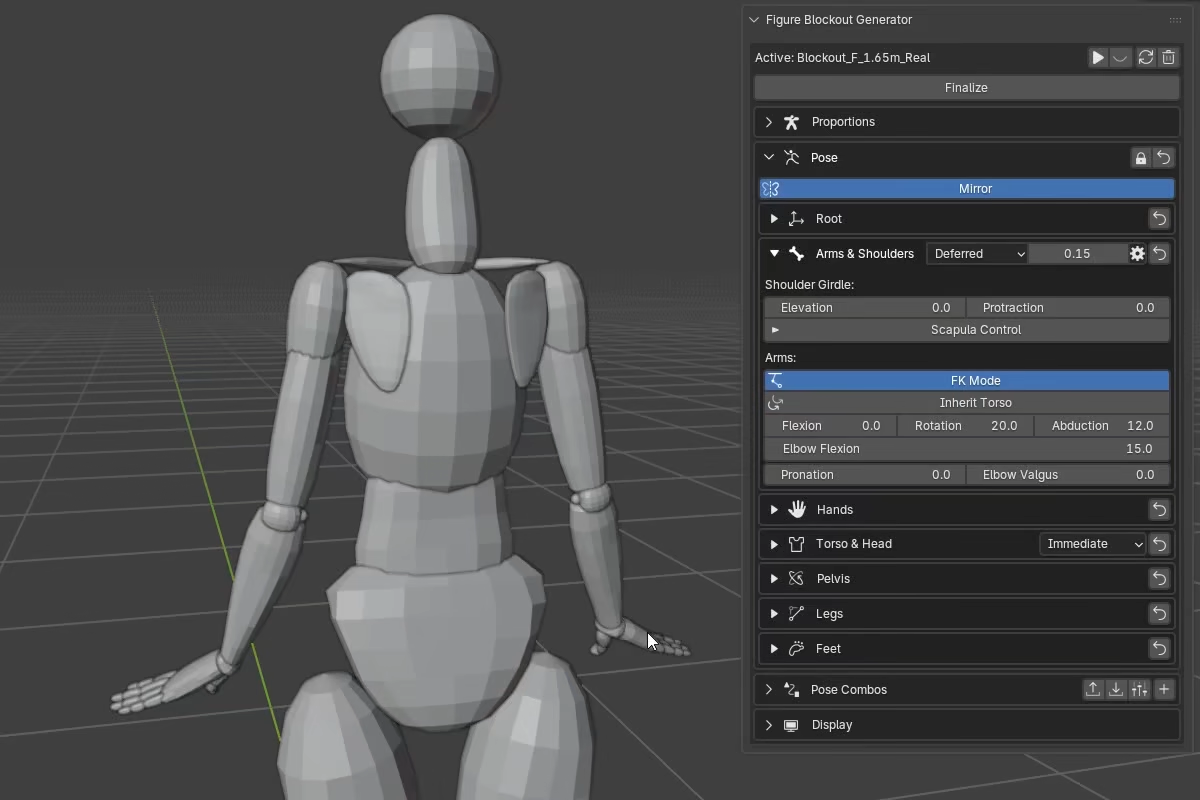
With Inherit Torso enabled, adjusting Upward Rot, A/P Tilt, or Ext/Int under Scapula Control will also move the FK arm, because those channels feed into the shoulder socket orientation that the arm inherits. With Inherit Torso disabled, the same scapula adjustments only affect the shoulder blade -- the arm stays in place.
Arm modes
Each side can use FK or IK independently.
FK is the direct-angle mode -- you pose the arm by adjusting its joint angles directly.
IK is the placement approach -- you set where the hand goes and the arm solves to get there. IK also provides explicit elbow direction via the pole target and Hand Pin for locking the hand in place while the body moves.
FK mode
With FK Mode enabled, the section exposes direct arm-angle controls:
Inherit Torsomakes the FK arm follow the live shoulder socket orientation. See Inherit Torso below.Flexionswings the arm forward or backward.Abductionswings the arm out to the side.Rotationrotates the arm around its long axis.Elbow Flexionbends or straightens the elbow.Pronationrotates the forearm between pronation (palm-down) and supination (palm-up).Elbow Valgusadjusts the outward arm alignment (carrying angle).
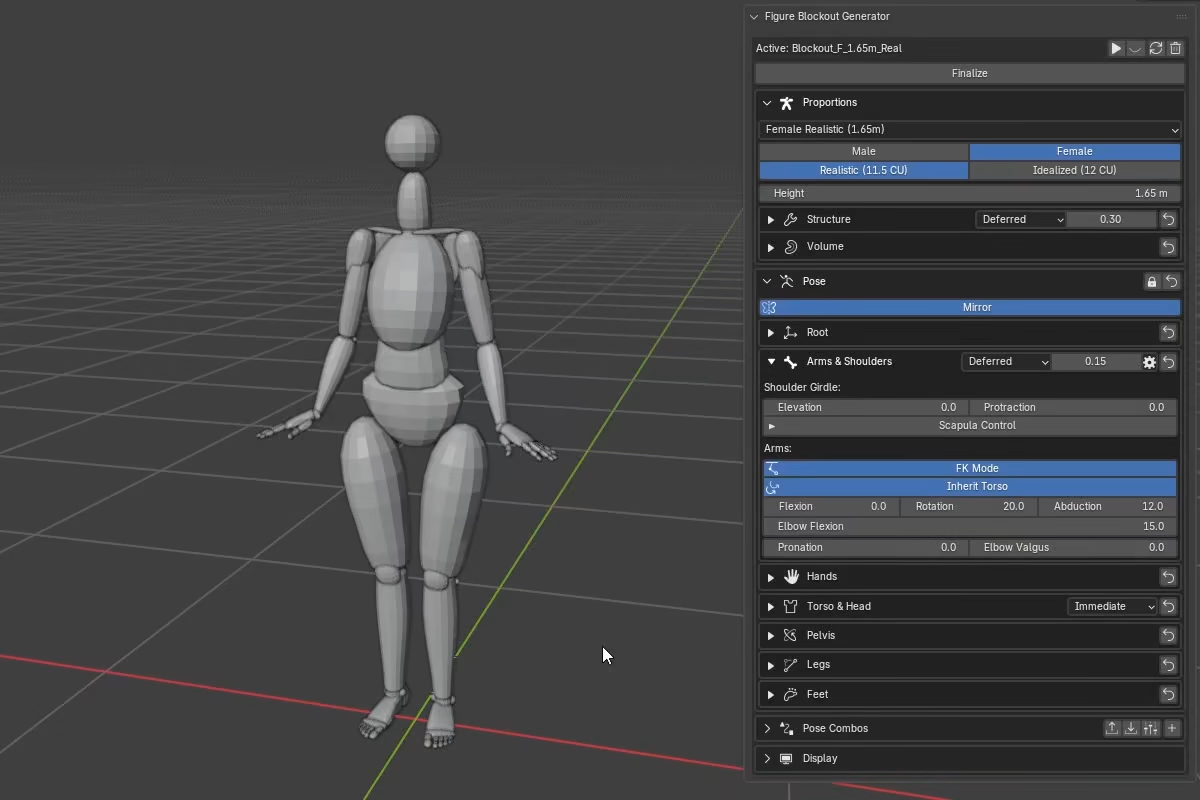
Inherit Torso
Inherit Torso is the main bridge between the shoulder girdle and the FK arm. When enabled, the FK arm follows the full live shoulder socket orientation -- this includes the torso, clavicle motion from Elevation and Protraction, the automatic scapula coupling, and any manual Scapula Control adjustments. The arm feels carried by the entire shoulder system.
When disabled, the FK arm uses only its own local rotation and stays isolated from ongoing torso, shoulder, and scapula changes.
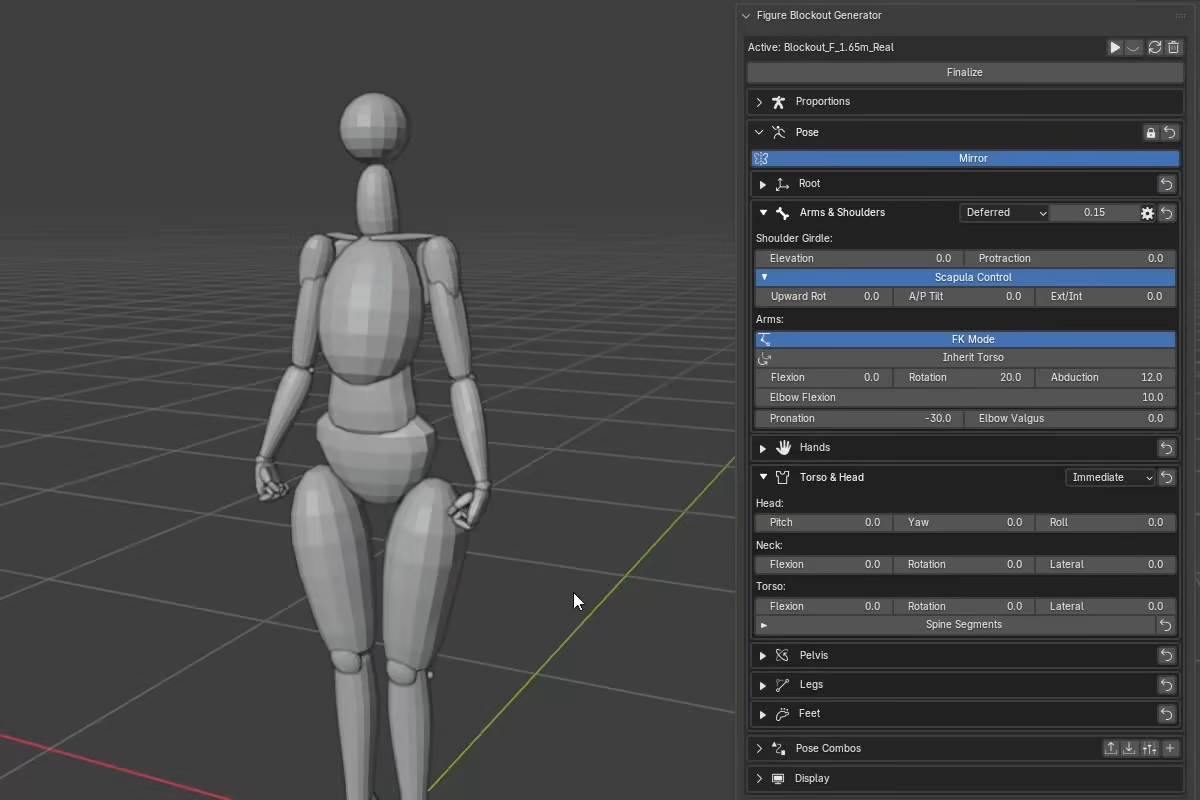
IK mode
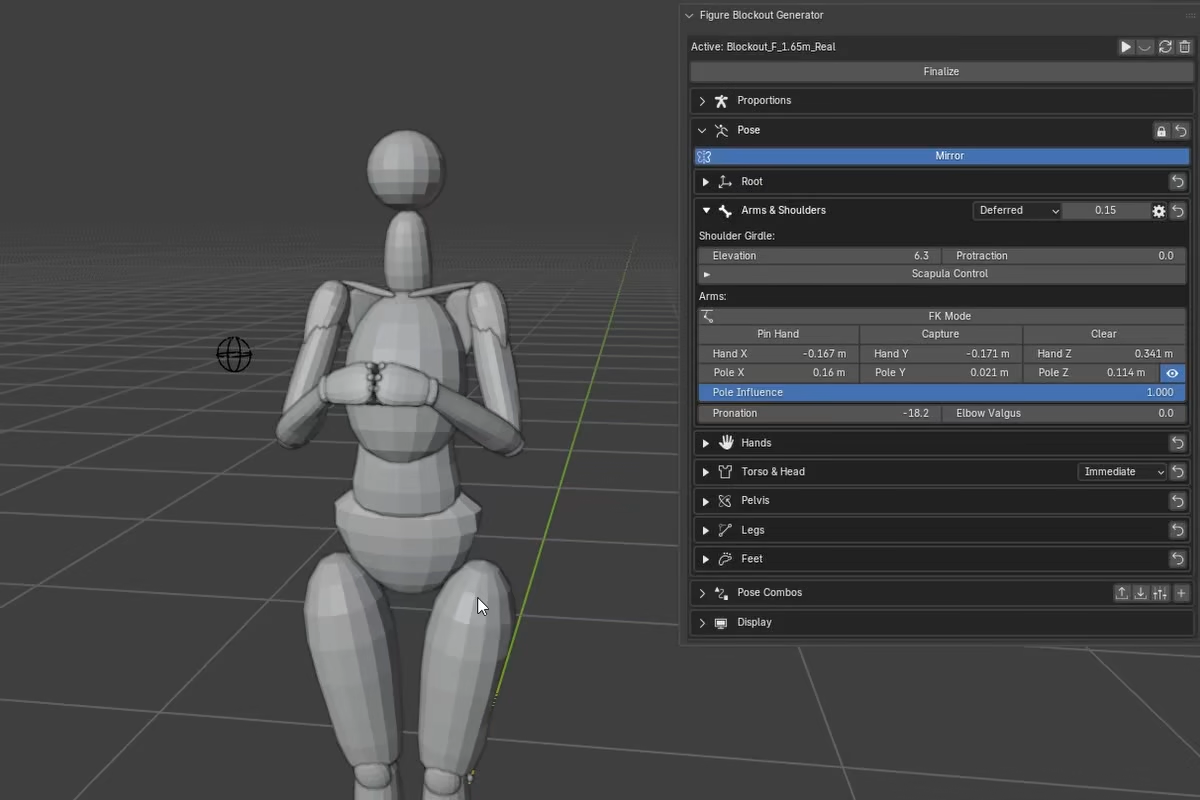
With FK Mode disabled, the section switches to a hand-target IK solve:
Hand X,Hand Y, andHand Zmove the hand target in figure space.Pole X,Pole Y, andPole Zmove the elbow pole target in figure space.Pole Influencecontrols how strongly the arm follows that pole target.- The eye icon next to the pole controls shows or hides the elbow pole empty in the viewport.
Pin Hand,Capture, andClearmanage the stored hand-pin target.PronationandElbow Valgusremain available in IK mode.
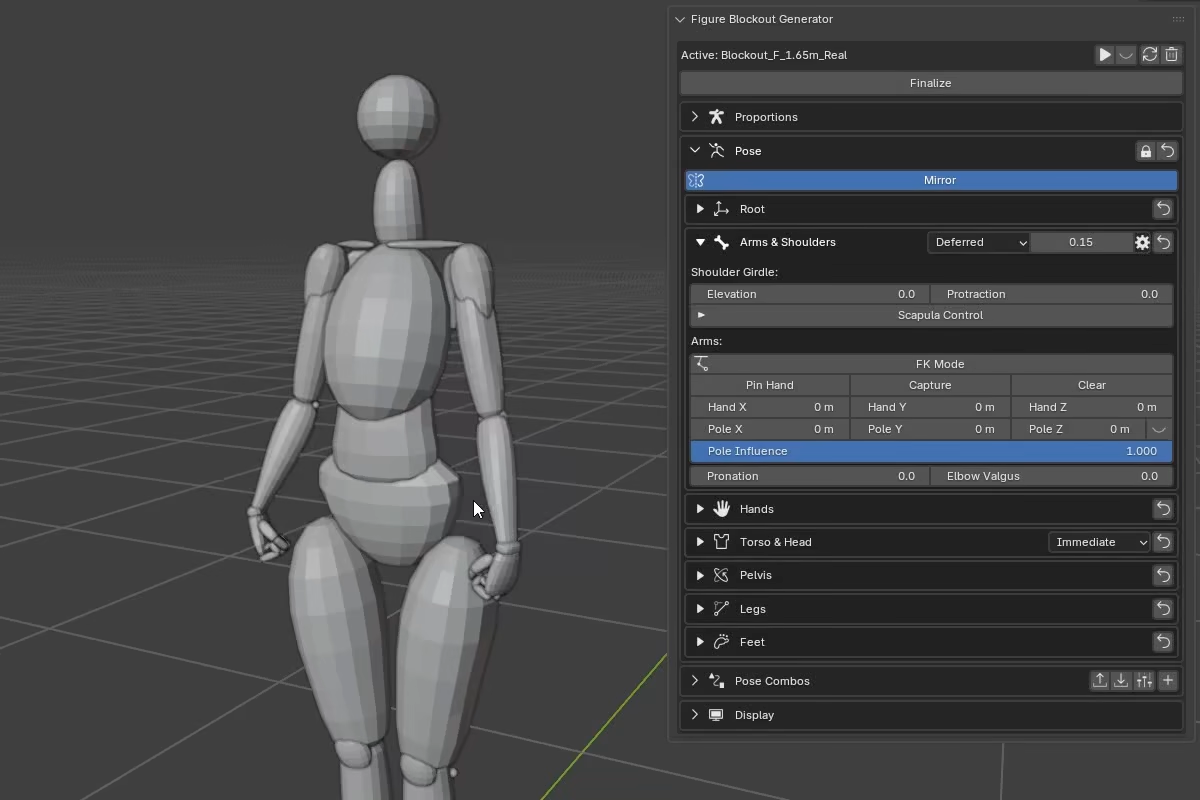
Elbow Valgus
Elbow Valgus adjusts the arm's carrying angle -- the structural angle between the humerus and the forearm. This is not an elbow-local bend; it changes the geometry of the whole arm, including the hand position.
The figure includes a base carrying angle from proportions (11 deg female, 7 deg male), so the slider works as an offset on top of that base.
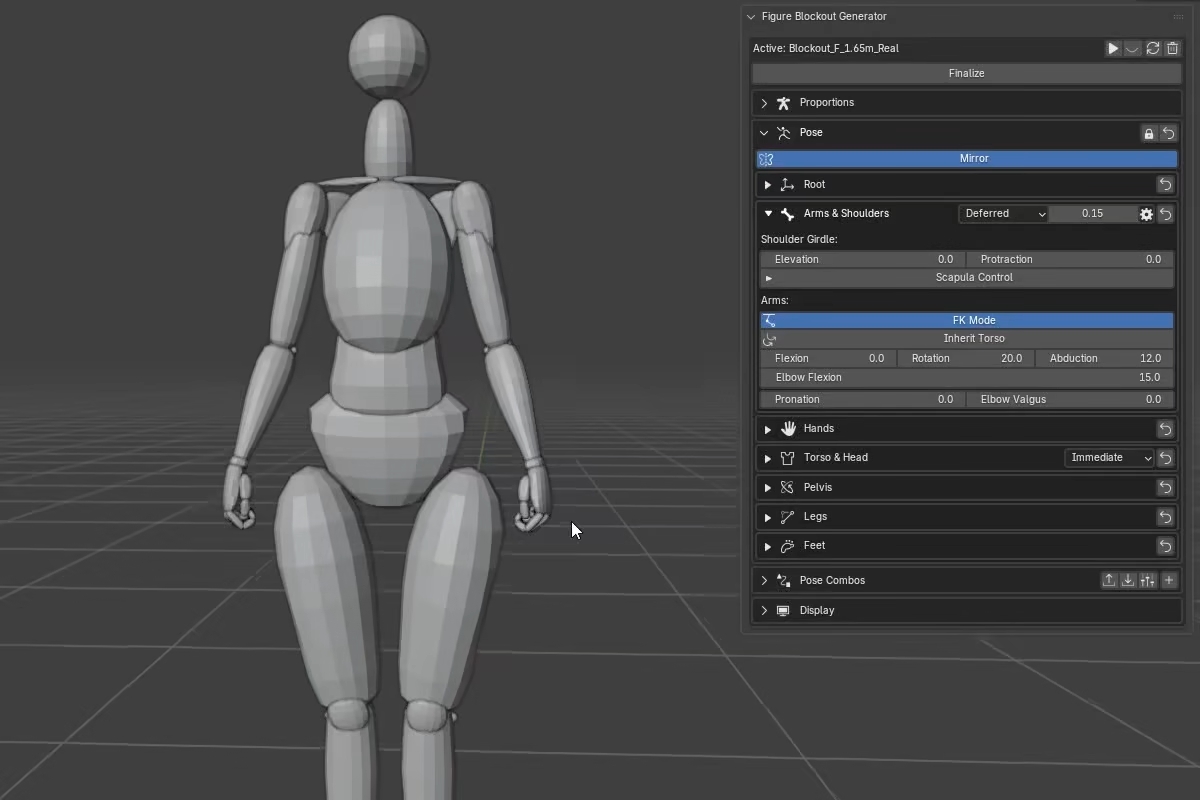
FK behavior: The carrying angle is built into the elbow's flexion axis, so it naturally diminishes as the elbow bends and the forearm folds inward.
IK behavior: The carrying angle is built into the arm's IK reference, so changing it shifts the wrist target even when Hand X/Y/Z are unchanged. The IK solve then matches the arm to this updated reference.
Bake To Rig: The IK solve can produce slight forearm length variation. FBG compensates by keying forearm Y-scale on every baked frame.
Export consideration
If you plan to export or retarget, check whether your destination workflow supports animated bone scale.
Hand Pin
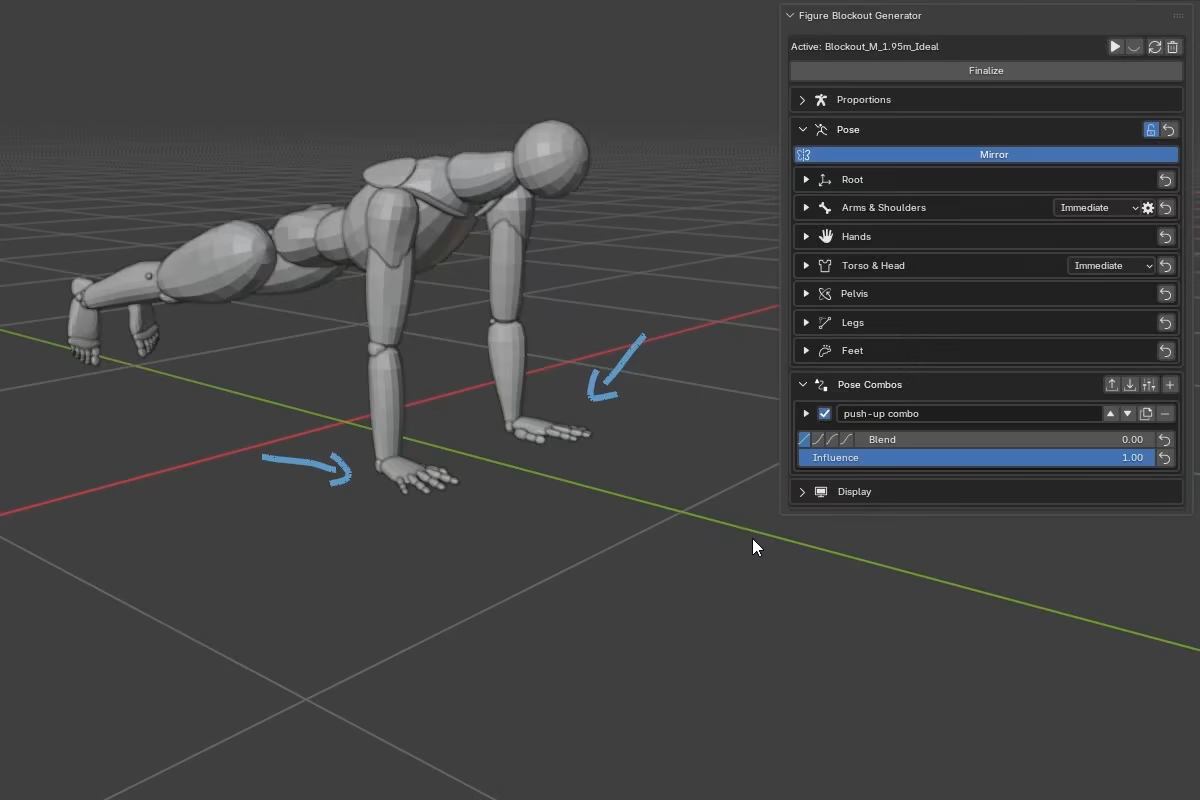
Pin Hand stores the current hand position and reuses it as the IK target, so the hand stays stable while the rest of the arm and body solve around it. It is meant for contact and support poses.
Basic workflow
- Pose the hand where you want it to stay.
- Press
Captureto store the current hand position and orientation. This automatically activatesPin Hand. Toggle it off and on to suspend and resume pinning against the same stored target. - Adjust the pose while the hand stays pinned.
- Press
Clearto remove the stored target and return to normal IK.
If Pin Hand is enabled without a stored target, the UI shows Capture required. While a pin is active, the normal Hand X/Y/Z controls are hidden because the stored target takes over.
Pin Hand stores the hand target in figure-local space, so it keeps the hand stable while you change internal body motion, but moves with the figure if you reposition the whole root.
Pinning and hand controls
Hand Pin stores the hand target, not the finger pose.
- Finger and thumb controls remain free while pinning is active.
Forearm Pronation,Wrist Flexion, andWrist Deviationremain available, but while the hand is pinned they are normally compensated out to preserve the captured hand orientation, so they usually appear non-reactive. They only start to show visible influence when the wrist angles become extreme enough for the hand-pin clamp to engage.
Hand Pin Clamp
If the requested wrist setup becomes too extreme relative to the forearm, FBG clamps the wrist swing for stability. This can cause the pinned hand to deviate from the captured orientation.
Mirror and symmetry with pinning
When Mirror is on, capturing a hand target automatically creates a mirrored target on the opposite side.
For asymmetrical support poses, turn Mirror off and capture each side separately.
Forearm and Deltoid Deformation
The section header in the UI includes the Twist Updates controls. These control when the forearm and deltoid twist deformations update while you pose.
In practice, forearm twist deformation responds to Pronation, while deltoid twist deformation responds to arm Rotation in FK mode.
The gear button next to Twist Updates opens Deltoid Pose Twist, which controls how much FK arm Rotation contributes to the deltoid mesh twist. Setting it to 0 disables the pose-driven deltoid deformation while keeping forearm twist active.
For more detail, see How FBG Works.